
Build a clipping campaign brief in 60 seconds.
Pick brand category, geos, platforms, watch threshold, and budget. We render the FORKOFF brief format. Copy to clipboard or send straight to crew@forkoff.xyz.
# FORKOFF Clipping Brief · [Campaign name]

**Brand category:** Web3 / Protocol
**Sandbox spend tier:** $5,000
**Watch threshold (qualification rule):** 1.5s (TikTok baseline)
**Brand safety level:** Standard

**Target geos:**
- US
- GB

**Target platforms:**
- TikTok
- Instagram Reels

**Campaign objective:**
_describe what success looks like_

**Qualification logic (FORKOFF default):**
- Watch-time threshold per platform
- Policy + brand-safety check per clip
- Geo consistency on every view
- Traffic-validity check (bot/source) on every view

_Generated via clips.forkoff.xyz/tools/brief-builder. Send to crew@forkoff.xyz to start a sandbox._
Budget, geos and platforms come from your picks. Watch-threshold and brand-safety defaults as of May 26, 2026.
A copy of the brief lands in your inbox; the strategist replies to this address with a feasibility check and a per-qualified-view estimate within 24h.
What does a qualifying clipping brief actually contain?
A brief is the contract between brand and qualification engine. It locks the rule the campaign runs under: watch threshold, geo enforcement, brand-safety level, qualification objective. Loose briefs produce loose qualification; tight briefs produce audit-grade outcomes.
FORKOFF brief format
Five locked sections: brand category + objective, geos + platforms, qualification rule, brand-safety level, budget ceiling. Strategist review within 24h. Brief-to-live under 48h on sandbox tier.
For the deeper background behind this number, read 8 clipping campaign mistakes that quietly burn brand budget.
92/100 briefs accepted on first pass
Free-form intake (legacy)
Email-thread or call-based intake. No locked rule. Qualification window kept loose so the brief can flex during the run. Faster to start, harder to audit.
60/100 free-form briefs survive audit
<60s
Build time
From start to ready-to-send
24h
Strategist review
Sandbox tier
<48h
Brief to live
After acceptance
92%
First-pass accept
Briefs that ship without revision

The four steps the wizard runs you through.
Each step locks one part of the brief. By the end, the wizard has a fully-formed FORKOFF brief that the strategist can quote a CPQV against without back-and-forth.
Brand category + objective
Pick your brand category (SaaS, AI, web3, podcast, consumer) and the primary objective (awareness, install-correlated reach, signups, audit-grade legitimacy). The category drives clipper routing; the objective drives the qualification rule.
Geos + platforms
Multi-select your target geos and platforms. Sanctioned-region exclusions are added at brief acceptance, not in the wizard. Geo + platform combinations determine the CPV band the strategist quotes back to you.
Qualification rule + budget
Pick a watch threshold (1.5s / 3s / 5s / 30% retention) and brand-safety level (standard / strict). Set a hard budget ceiling. The qualification rule + budget together produce the expected qualified-view delivery.
Render the brief
The wizard renders the FORKOFF brief format: copy to clipboard or send to crew@forkoff.xyz directly. Strategist reviews within 24h, returns a feasibility check + CPQV estimate, and the brief goes live within 48h of acceptance.
What each input does and how to fill it.
Three input clusters: brand category + objective, geos + platforms, qualification rule + budget. The strategist will tune defaults during review, but the closer your inputs are to your actual launch, the faster the brief goes live.
Brand category + objective
Brand-category brief flow share
What it is
Brand vertical (SaaS, AI, web3, podcast, consumer) drives clipper routing. Primary objective (awareness / install / signup / audit-grade) drives the qualification rule.
How to choose
Pick the category that best matches your buyer ICP, not your industry classification. A B2B SaaS targeting devs is closer to AI than to consumer, even if your business technically sells to ops teams.
Example
Web3 protocol launch with audit-grade objective. AI startup with install-correlated objective. Podcast network with awareness objective.
Geos + platforms
Geo × platform coverage map
What it is
Multi-select your target geos and short-form platforms. Sanctioned-region exclusions get added at brief acceptance. Geo × platform pair determines the CPV band the strategist quotes.
How to scope
Match where your buyer scrolls, not where impressions are most affordable. A SaaS targeting US ops teams shouldn't route to SEA; a memecoin launch can route broadly.
Example
SaaS: US + EU on TikTok + Shorts. Crypto: US + EU + SEA + LATAM on TikTok + Reels + X.
Qualification rule + budget
QV delivery scales with budget
What it is
Watch threshold (1.5s / 3s / 5s / 30% retention) and brand-safety level (standard / strict). Hard budget ceiling. Together they produce the expected qualified-view delivery.
How to configure
Default to 3s + standard for first-run sandboxes. Bump to 5s + strict for audit-grade campaigns. Strict reduces eligible clipper pool by ~40%.
Example
Sandbox first-run: 3s + standard + $1,000. Audit-grade protocol launch: 5s + strict + $25K.
What the wizard produces and what happens next.
Three outputs: a rendered brief in FORKOFF format, the feasibility-review window, and the brief-to-live timeline. Together they let you plan launch comms with confidence.
Rendered brief (copy or send)
Brief format = 5 standard sections
What it is
FORKOFF brief format with all your inputs filled in. Copy to clipboard for internal review, or send directly to crew@forkoff.xyz to start the intake.
How to use
Use copy-to-clipboard if you need internal sign-off before the strategist call. Use send-to-FORKOFF when you're ready to lock the brief.
Output shape
Output is ~300 words, mirrors the brief format the strategist works from.
Feasibility window
4 / 24 hours = faster review
What it is
How long until the strategist returns a feasibility check + CPQV quote. Standard 24h. Faster on retainer engagements with pre-approved rule sets.
How to plan
Plan around the 24h window. If you need same-day, flag it in the message field; the strategist surface picks up urgent flags during business hours.
Review tier
Sandbox first-run: 24h review. Retainer renewal: 4-8h review. Custom retainer with new rules: 48h review.
Brief-to-live timeline
Days to live by tier
What it is
Days from accepted brief to first qualified view delivered. Sandbox tier under 48h. Retainer onboarding can be longer (custom).
How to plan
Don't bake live-date promises into your launch comms until the brief is accepted. The 48h window starts from acceptance, not from brief submission.
Live-date tiers
Sandbox: <48h. Standard retainer: 3-5d. Custom retainer with new clipper pool: 7-10d.
Refine and share the brief before it goes to a strategist.
The wizard renders a complete brief, but the fastest briefs to go live are the ones a team has already read. Refine the inputs, share the draft for sign-off, then send it once to lock the rule.
Refine the inputs
Inputs tighten with each pass
What it is
Read the rendered brief top to bottom before it leaves your screen. Check that the objective matches the launch, that the geo list only names markets you can sell into, and that the watch threshold is the one your team will defend in a results review.
How to refine
Change one input at a time and re-render. If the budget ceiling or the brand-safety level is still an open question internally, leave the note field saying so rather than guessing, so the strategist can size both options.
Example
A SaaS launch that picked US + EU + SEA narrows to US + EU after a quick check that the product only bills in USD and EUR.
Share it for internal sign-off
Reviewers sign off on rule and budget
What it is
Copy the brief to the clipboard and paste it into the doc, Slack thread or ticket where your launch decisions already live. The format stays the same wherever it is pasted, so reviewers comment on the rule, not on the layout.
How to share
Ask reviewers to answer two questions only: is the qualification rule right, and is the budget ceiling approved. Anything else can be tuned on the strategist call.
Example
Marketing lead pastes the brief into the launch channel, finance approves the ceiling, product confirms the platforms.
Send it to lock the rule
Sent brief moves into review
What it is
When sign-off is done, send the brief straight to crew@forkoff.xyz from the wizard. Sending starts the feasibility review, and the qualification rule in the brief becomes the rule the campaign is measured against.
How to send
Include the email address of the person who owns the launch date, so feasibility questions reach someone who can answer them the same day.
Example
Brief sent on Monday, feasibility check back inside the review window, rule locked before the launch comms go out.
Platform mix and platform priorities.
The geo and platform pair in the brief decides the CPV band the strategist quotes. Three platforms carry almost every short-form brief, and each one earns its place for a different reason.
TikTok as the volume anchor
Clipper supply skews to TikTok
What it is
TikTok carries the largest short-form clipper pool, so most briefs route the bulk of qualified-view budget here. The 1.5s watch threshold is the TikTok baseline because the platform counts a play the moment the clip loads.
How to weight it
Lead with TikTok when the objective is raw awareness and the geo is US or EU. Pair it with a 1.5s or 3s threshold so the qualification rule matches how the platform serves the clip.
Example
A consumer app awareness brief weights most of its budget to TikTok, with the rest split across Reels and Shorts.
Reels and Shorts for reach overlap
Reach spread across three surfaces
What it is
Instagram Reels and YouTube Shorts widen the same clip across audiences that do not overlap fully with TikTok. The clip asset stays the same, only the distribution surface changes.
How to add it
Add Reels and Shorts when the buyer ICP skews older than the TikTok core, or when the brand already has an Instagram or YouTube presence the clips can reinforce.
Example
A SaaS launch adds Reels and Shorts to reach ops and founder audiences that index higher on those two surfaces.
X for launch-day momentum
X views spike around launch day
What it is
X carries fewer qualified views per dollar than TikTok but concentrates them around launch moments and founder audiences. It is a momentum surface, not a volume surface.
How to use it
Reserve X for audit-grade or launch-week briefs where the conversation matters as much as the view count. Do not expect it to carry a volume objective on its own.
Example
A protocol launch runs X alongside TikTok so the clips land where the founder community already watches.
Approval criteria and the clip review workflow.
The brand-safety level in the brief is not a label, it is the rule the review workflow enforces on every clip. Three parts decide what qualifies and what gets filtered before it reaches spend.
Standard vs strict review
Strict trims the eligible pool
What it is
Standard review runs the default brand-safety rule set. Strict review locks clippers out of regulated categories and adds a policy check on every clip before its views can count. The brief fixes which one the campaign runs under.
How to choose
Default to standard for first-run sandboxes. Choose strict for regulated verticals or audit-grade launches where a single off-brand clip costs more than a smaller clipper pool.
Example
A pharma-adjacent brand picks strict; a consumer app testing the model picks standard.
Per-clip policy review
Most clips clear the first review
What it is
Under strict, each submitted clip passes a policy review before its views qualify. The review checks the clip against the brand-safety level written into the brief, not against a general guideline.
How to set it
Write the non-negotiables into the brief note field. The clearer the rule at acceptance, the fewer clips bounce back for a second pass during the run.
Example
A brief that names two banned claim types up front sees fewer mid-run rejections.
Reason-coded filtering
Filtered views carry a reason code
What it is
Views that fail the rule are logged with a reason code and excluded from spend, so a filtered view never reaches the invoice. The reason codes make the qualification rule auditable after the run.
How to read it
Ask for the reason-code summary at the end of the campaign. It shows where clips fell out and whether the rule was tuned correctly for the audience.
Example
An audit-grade campaign reconciles every excluded view against its reason code before sign-off.
Launch your campaign once the brief is accepted.
Sending the brief starts the feasibility review. Acceptance is the moment the rule locks and the clipper pool goes to work. Four steps run between a sent brief and the first qualified view.
Feasibility check returns
After the brief is sent, the strategist returns a feasibility check and a per-qualified-view estimate, usually inside the 24h sandbox-tier window. Nothing is locked until you accept.
You accept the rule
Accepting the brief locks the qualification rule: watch threshold, geo enforcement, brand-safety level and budget ceiling. From this point the rule is what the campaign is measured against.
The clipper pool activates
The accepted brief routes to the clipper pool matched to your category and geos. Clippers produce against the locked rule, not against a loose guideline, so submissions arrive already shaped to the brief.
First qualified views land
On the sandbox tier, first qualified views typically land inside 48h of acceptance. Spend tracks only the views that pass the rule at $0.003 per qualified view; filtered views are logged and excluded.
The authentic clipper network behind every brief.
A brief is only as good as the people who run against it. Each accepted brief routes to a vetted pool of short-form clippers matched to the brand category and geos, so the qualification rule meets clippers who already know the surface.
Matched clipper pool
Clippers are matched to your category, not pulled from an open free-for-all. A web3 brief reaches crypto-native clippers; a consumer-app brief reaches lifestyle and tech clippers. The match is what keeps the qualification rate workable instead of filtering out most of the submissions.
For the deeper background behind this number, read how the FORKOFF clipping service runs the network.
A matched pool held a 62% qualification rate on a recent sandbox
Open-call distribution
An open call with no matching posts a brief to anyone and accepts whatever comes back. Gross volume looks higher at first, but the qualification rate drops and the filtered-view pile grows, so the measurable delivery is lower for the same spend.
Where performance marketing meets the creator economy.
A clipping brief sits at the point where pay-for-performance media meets creator distribution. You are not buying a flat retainer or a block of impressions, you are buying views that passed a rule you set.
Pay for performance
The brief prices on a cost per qualified view, so spend tracks measurable outcomes rather than effort. Views that fail the rule carry no charge. The model is closer to performance media than to a sponsorship fee, which is why the brief locks the qualification rule up front.
$0.003 per qualified view, filtered views excluded
Flat retainer or CPM
A flat retainer or a CPM buy charges for reach whether or not anyone watched. Short-form CPM for paid reach commonly runs several dollars per thousand impressions, with no view-quality rule behind the number, so the denominator is impressions, not qualified attention.
Four worked examples across campaign tiers.
From a $1,000 sandbox first-run to a six-figure retainer. Same brief format, different inputs, different qualification rule tuning.
| Scenario | Category / objective | Geos | Platforms | Rule + safety | Budget | Brief-to-live |
|---|---|---|---|---|---|---|
$1,000 sandbox SaaS launch First-time brand testing the qualified-view model. | SaaS / install | US+EU | TikTok+Shorts | 3s + standard | $500 | <48h |
$5K AI model drop Mid-size AI launch needing dev + GTM ICP reach. | AI / awareness | US+EU+IN | Multi | 3s + standard | $5,000 | <48h |
$25K crypto protocol launch Web3 protocol drop with audit-grade ledger requirement. | Web3 / audit | US+EU+SEA | TikTok+X+Reels | 5s + strict | $25,000 | 48-72h |
$100K+ multi-campaign program Continuous program with split-tested geo cohorts. | Multi / multi | Full-spread | Cross-platform | Custom rule | $100K+ | Custom |
Who this brief builder is for.
Use it any time you'd otherwise email a strategist a paragraph of campaign requirements. The wizard pre-formats the brief so the strategist call starts on the feasibility check, not on the intake clarifications.
Built for
- ·First-time brands ready to start a $1,000 sandbox.
- ·Existing brands renewing a campaign with a new geo or platform mix.
- ·Marketing teams needing a brief format for internal sign-off before strategist call.
- ·Web3 / DeFi launches with audit-grade qualification rules.
- ·AI / SaaS launches with install-correlated or signup objectives.
Not the right fit
- ·Performance-marketing campaigns priced on click or signup (different denominator).
- ·Twitch / Discord / podcast-host-read distribution (custom retainer only).
- ·Brand-content shoots, the wizard is for clip distribution, not creative production.
- ·Brands not yet sure clipping is the right channel; talk to a strategist first via /request-access.
Brief builder FAQ
Is this brief format the one FORKOFF actually uses?
Yes. The output mirrors the FORKOFF brief template: brand category, sandbox tier, watch threshold, brand-safety level, geos, platforms, objective. Sending it via the Send to FORKOFF button starts a real intake.
What's the difference between watch thresholds?
1.5s = TikTok baseline (qualifies a view that loaded and played for 1.5 seconds). 3s = multi-platform standard for short-form. 30% retention = duration-based, used for longer formats. 5s = deep watch for higher-intent campaigns where you want stronger qualification.
Why does brand-safety level matter?
Strict brand-safety locks clippers out of categories (regulated industries: alcohol, gambling, pharma) and adds policy review per clip. Standard runs the default rule set. Strict reduces eligible clipper pool by ~40%, so plan budget accordingly.
Is the budget a hard ceiling or a soft target?
Hard ceiling. Once qualified-view spend hits the budget, the campaign auto-pauses. A sandbox is the most common starting point. Larger programs run uncapped against a CPQV target.
Do I have to pick all the fields to send a brief?
No. Required fields are campaign name, brand category, at least one geo, at least one platform, and an objective. Watch and brand-safety can be left as default; we'll suggest tuned values during the strategist review.
What happens after I send the brief?
Strategist reviews within 24 hours. We send back a feasibility check + per-qualified-view estimate. If you accept, the brief goes live within 48 hours.
Can I save and edit drafts?
Not yet on the public tool. Sandbox + retainer brands get a private brief-builder in the dashboard with versioning. Working on that for the public surface in Q3.
How specific does the geo list need to be?
Country-level is enough for most briefs. City or region splits are supported on retainer engagements. Sanctioned-region exclusions are locked in writing at brief acceptance regardless of how granular the inclusion list is.
What's the difference between sandbox and retainer?
Sandbox is a fixed-budget first campaign that runs for 14 days. Retainer is an ongoing program scoped per brief, with a contracted CPQV floor and split-tested geo cohorts. Most brands start with sandbox and graduate to retainer after the first qualified-view ledger lands.
Can the brief target multiple objectives at once?
Pick one primary objective for the qualification rule (awareness, install-correlated, signups, audit-grade legitimacy). Secondary objectives can be tracked but won't shape the qualification gate. The strategist tunes the gate to your primary.
What does asset readiness mean?
Whether you have the source clip / podcast / model demo ready. Brand-supplied assets ship faster (24-36h) than fresh-shoot briefs (72h+). The brief builder asks but doesn't gate on it.
How does FORKOFF pricing work?
Brands pay $0.003 per qualified view (CPQV). Filtered traffic is logged with a reason code and excluded from spend. A $1,000 sandbox runs for 14 days, and larger campaigns are scoped per brief at intake.
Per our own CPQV benchmark of 3,085 clips, qualified views price out at a measurable cost per view rather than a flat retainer.
Related FORKOFF tools
Other free FORKOFF toolsfor your campaign math.
AEO Checker
Four checks in one run: a page's AEO signals, AI crawler access, a mobile Lighthouse audit, and whether ChatGPT, Claude, Gemini, Perplexity and Google AI Overviews name your brand.
Launch Authenticity Checker
Enter a launch post's views and likes, get an Authenticity Grade (A / C / F) from the views-per-like ratio on FORKOFF's RADAR thresholds. Computed live, free.
Launch View-Tier Estimator
Enter follower count and engagement, get your organic view ceiling and which guaranteed tier (1.2M / 3M / 5M) is in reach on FORKOFF's RADAR ~500:1 band. Computed live, free.
Run a sandbox campaign.
14 days. Paid only on qualified views. Audit-ready ledger from day one.
Receipts, deep dives, and playbooks.
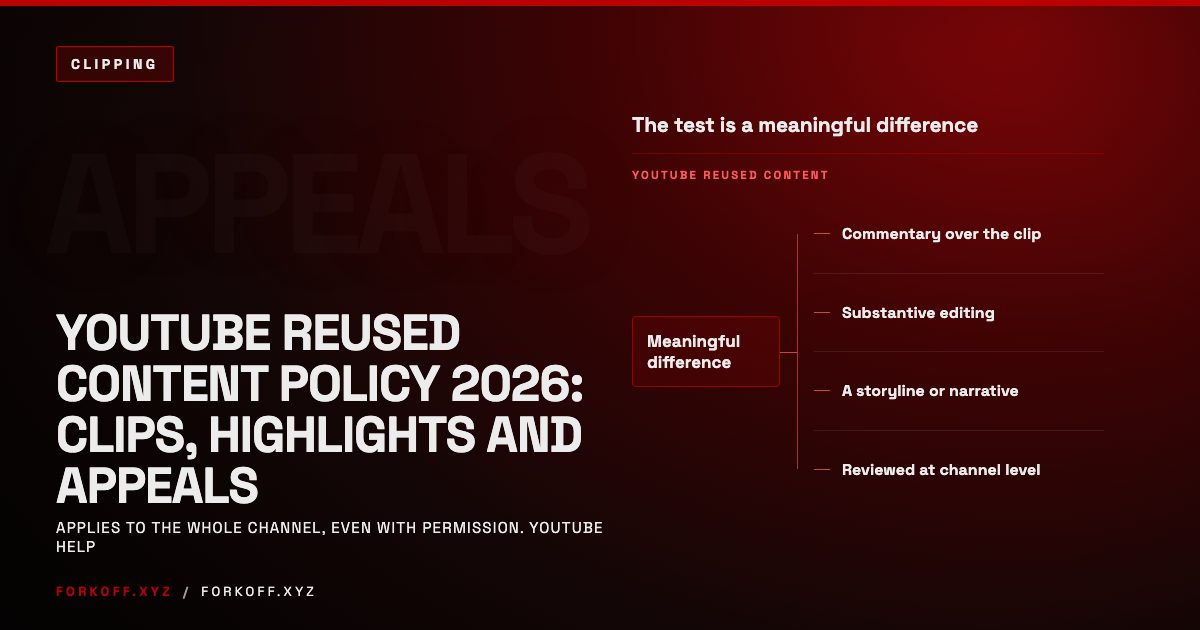
YouTube Reused Content Policy 2026: Clips, Highlights and Appeals
What YouTube's reused content policy actually says, how it treats clips, stream re-uploads and compilations, how to appeal, and how brand clipping stays clean.
 Read
Read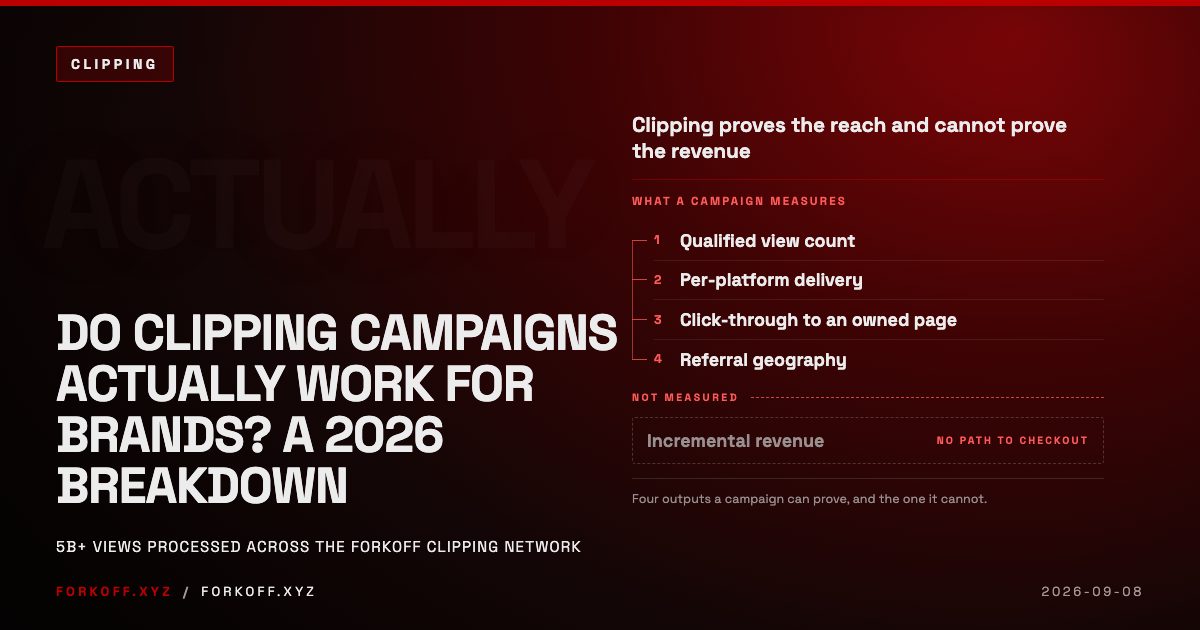
Do Clipping Campaigns Actually Work for Brands? A 2026 Breakdown
Clipping campaigns buy reach at a low unit price and cannot prove revenue. The 2026 breakdown of CPM by content signal, attribution and vendor diligence.
Read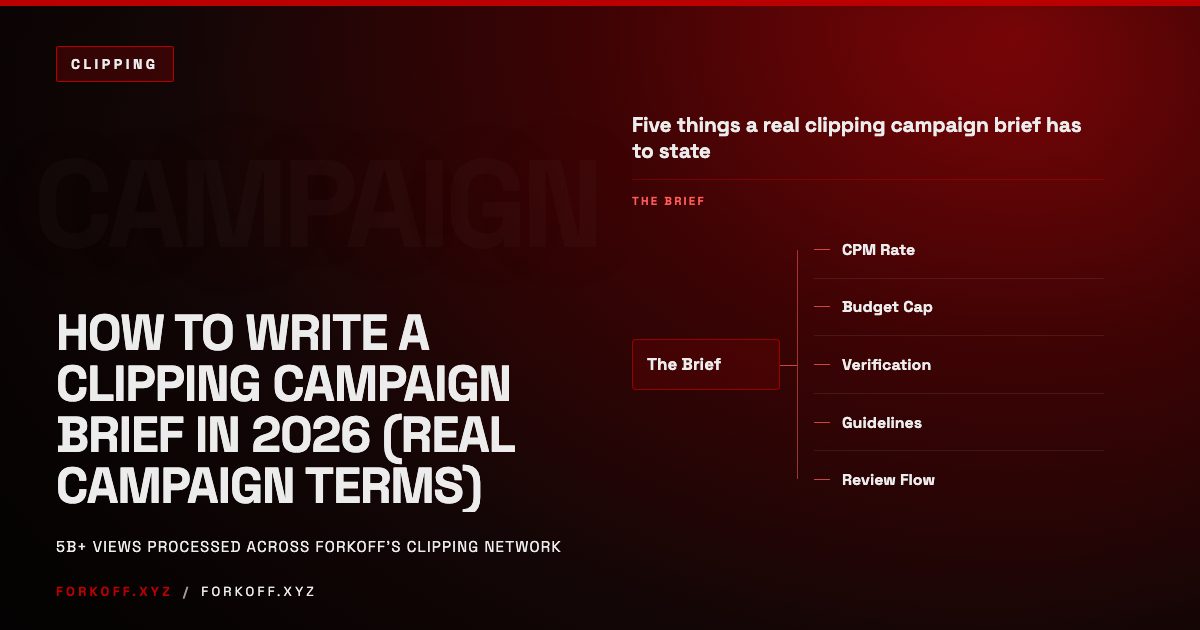
How to Write a Clipping Campaign Brief in 2026 (Real Campaign Terms)
A clipping campaign brief sets the CPM, budget cap, submission rules, and review flow that decide whether a campaign gets quality clips or wasted budget.
Read